Split PDF

Split PDF into pages

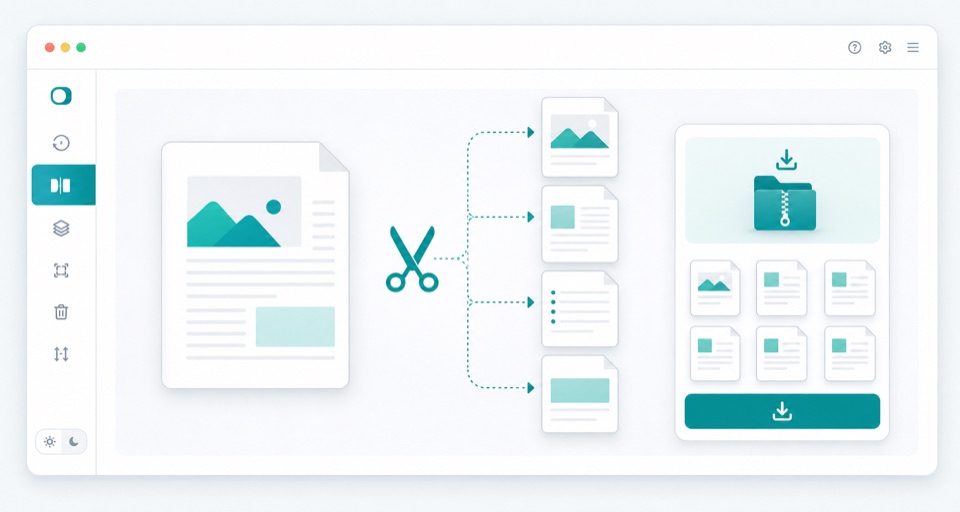
Turn one PDF into separate page PDFs and download everything as a ZIP file.

Split PDF
Your files stay in this browser. Nothing is uploaded to a server.
Split PDF Online Free - Separate PDF Pages

Split into single pages

Upload one PDF and create one PDF file for each page.

Drop PDF files here

Your files stay in this browser. Nothing is uploaded to a server.

Split one PDF into separate page files

Splitting a PDF is helpful when a large document contains pages that need to be handled one by one. This tool creates a separate PDF file for each page and packages the results into a ZIP download.

Use it for scanned packets, multi-page forms, report appendices, lesson materials, certificates, receipts, or any document where every page needs to become its own file. The original PDF stays on your device and the split output is generated locally.

If you only need a few selected pages in one new document, the Extract PDF Pages tool is usually a better fit. Use Split PDF when you want all pages separated into individual PDFs.

What the split output contains

One PDF per page

Each original page is copied into its own PDF file.

ZIP download

The individual page PDFs are packaged into one ZIP so they are easier to download together.

Local processing

The PDF is read and split in the browser, so no upload is required.

How it works

1

Upload one PDF

The document is read locally and page previews appear in the browser.

2

Create page files

Each page is copied into its own PDF.

3

Download ZIP

All split PDFs are packaged into one ZIP for easy download.

Questions

Does split create one PDF per page?+

Yes. This version creates individual PDF files and packages them as a ZIP.

Can I split only selected pages?+

Use the Extract PDF Pages tool when you want one PDF containing selected pages.

Are pages compressed?+

No. Pages are copied without intentional compression.

Why is the download a ZIP file?+

A ZIP keeps all single-page PDFs together so your browser can download them as one file.

Does splitting change the original PDF?+

No. The original PDF remains unchanged. The browser creates new page files from a copy.