PDF to JPG

Convert PDF pages to images

Turn selected PDF pages into JPG or PNG images without uploading the document.

PDF to JPG
Your files stay in this browser. Nothing is uploaded to a server.
PDF to JPG Online Free - Convert PDF Pages to Images

Convert PDF to images

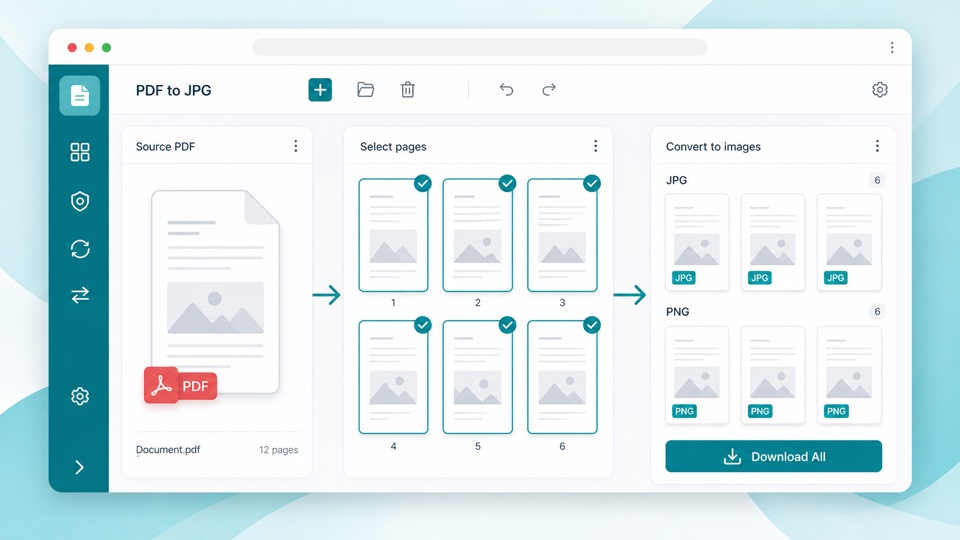
Select the pages you want, choose JPG or PNG, then download all images in one ZIP file.

Drop PDF files here

Your files stay in this browser. Nothing is uploaded to a server.

Export PDF pages as JPG or PNG images

PDF to image conversion is useful when a form, receipt, slide, certificate, or report page needs to be shared as an image instead of a document. This tool renders PDF pages locally and packages the images for download.

You can export every page or only the pages you select. Choose JPG for smaller files and broad compatibility, or PNG when you need sharper screenshots, diagrams, or text-heavy pages.

Because conversion runs in the browser, the PDF does not need to be uploaded just to create images. The output ZIP is created on your device.

How image export works

Selectable pages

All pages are selected by default, and you can deselect pages before exporting.

JPG or PNG output

JPG keeps file sizes smaller, while PNG is better for crisp text, screenshots, and diagrams.

ZIP download

Each selected page becomes one image file, and all images are bundled into a ZIP.

How it works

1

Upload your PDF

Page previews are created locally in your browser.

2

Choose pages and format

Keep all pages selected or pick specific pages, then choose JPG or PNG.

3

Download images

The selected pages are exported and downloaded together as a ZIP file.

Questions

Can I convert only one PDF page to JPG?+

Yes. Select one page, choose JPG, and create the ZIP with only that image.

Can I export PNG instead of JPG?+

Yes. Use the format control above the page grid to choose JPG or PNG.

Are my PDF files uploaded?+

No. The PDF is rendered in your browser and the images are created on your device.

Why is the result a ZIP file?+

A PDF can contain many pages, so the images are bundled into one ZIP for easier downloading.

Does this edit the original PDF?+

No. The original PDF remains unchanged.