Sign PDF

Add a signature to PDF pages

Place a typed signature on your PDF and download a new signed copy, with all processing kept in your browser.

Sign PDF
Your files stay in this browser. Nothing is uploaded to a server.
Sign PDF Online Free

Add typed signature

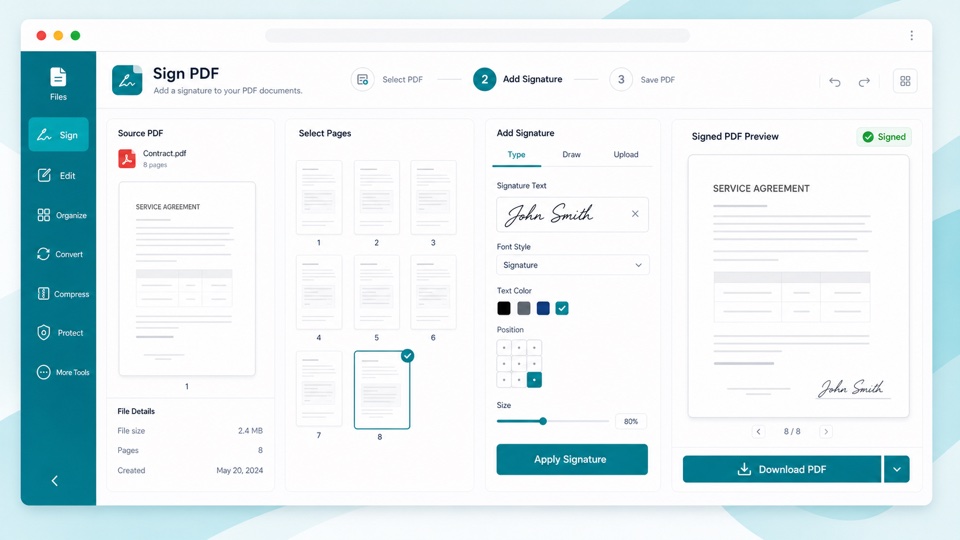
Enter signature text, choose a position and size, then create a signed PDF.

Drop PDF files here

Your files stay in this browser. Nothing is uploaded to a server.

Sign PDF files without uploading them

A typed signature is useful for quick approvals, draft acknowledgements, internal sign-offs, and lightweight document workflows.

Choose the signature text, set the location, and adjust the size before generating a new PDF. The page thumbnails show where the signature will be placed.

The signature is written directly into a new PDF in your browser. Your original file stays unchanged.

How PDF signing works

Typed signature

The current version adds text signatures in a signature-style font.

Position control

Choose bottom right, bottom left, top right, or center placement.

Browser processing

The PDF is processed locally and downloaded as a new file.

How it works

1

Upload a PDF

Preview the pages locally in your browser.

2

Enter signature text

Choose the signature position and size.

3

Download the signed PDF

Create a new PDF with the signature applied.

Questions

Is this a certified e-signature?+

No. This tool adds a visual typed signature. It is not a certificate-based digital signature.

Can I sign without uploading my PDF?+

Yes. The PDF is processed in your browser and stays on your device.

Does the signature appear on every page?+

Yes. This version applies the same typed signature to every page.

Can I change the position?+

Yes. You can place the signature at the bottom right, bottom left, top right, or center.

Will the original PDF be changed?+

No. The tool creates a new signed PDF and leaves the original file untouched.