Merge PDF

Merge PDF files in order

Add two or more PDFs, arrange them, and create one clean document without uploading files.

Merge PDF
Your files stay in this browser. Nothing is uploaded to a server.
Merge PDF Online Free - Combine PDF Files

Merge files

Add PDFs, move them into the right order, then create a single combined file.

Drop PDF files here

Your files stay in this browser. Nothing is uploaded to a server.

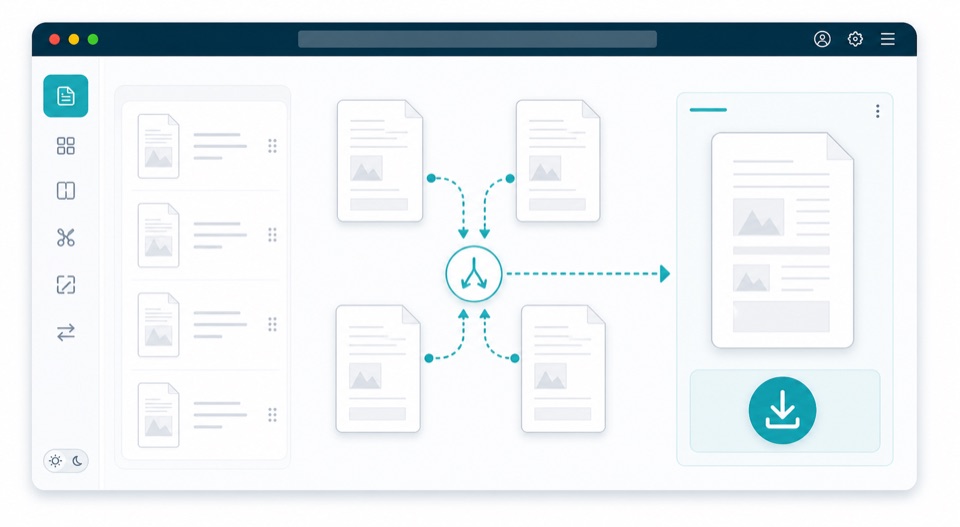
Combine PDF files into one ordered document

Merging PDFs is useful when related documents arrive as separate files but need to be sent, stored, or printed as one package. This tool copies pages from each PDF into a new combined file in the order you choose.

You can add multiple PDFs, review the file order, move files up or down, and create a merged PDF directly in the browser. It works well for application packets, monthly invoices, scanned forms, contracts, receipts, and client deliverables.

Because the merge happens locally, the files do not need to be uploaded just to combine them. The final PDF is generated on your device and can be downloaded immediately after processing.

How merging works

Order matters

Pages are copied into the output PDF based on the file order shown in the merge list.

Local file handling

The browser reads each PDF and creates the combined file locally, without sending files to a server.

Page-level merge

The tool focuses on copying pages reliably. Advanced document-level features such as bookmarks can vary by source PDF.

How it works

1

Add PDFs

Choose multiple PDF files from your device.

2

Set the order

Move files up or down before merging.

3

Download one PDF

All pages are copied into one new PDF in the order shown.

Questions

Can I change the order before merging?+

Yes. Use the move buttons to arrange PDFs before creating the final file.

How many PDFs can I merge?+

You can merge files up to 150MB total in this browser-based version.

Will bookmarks or forms be preserved?+

Pages are copied reliably, but advanced document-level features can vary by PDF.

Can I merge PDFs without uploading them?+

Yes. The merge runs in your browser and creates the output file on your device.

Can I add files after the first upload?+

Yes. Use Add more to include additional PDFs, then place them in the right order.