JPG to PDF

Convert images to one PDF

Add JPG or PNG images, arrange them in order, and create a PDF without uploading files.

JPG to PDF
Your files stay in this browser. Nothing is uploaded to a server.
JPG to PDF Online Free - Convert Images to PDF

Create a PDF from images

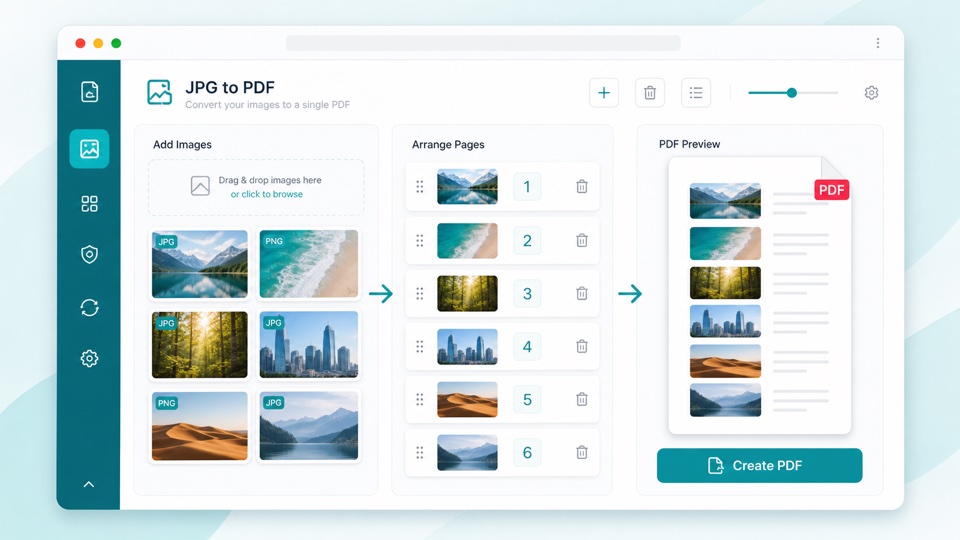
Add images, move them into the right order, then download a single PDF.

Drop images here

Add JPG or PNG images. Files stay in this browser and are not uploaded.

Turn JPG and PNG images into a PDF

Image to PDF conversion is useful when photos, scans, screenshots, or receipts need to be sent as one document. This tool places each image on its own PDF page in the order you choose.

You can add multiple JPG or PNG files, review the order, move images up or down, and create one clean PDF directly in the browser.

Because the conversion happens locally, images do not need to be uploaded just to make a PDF. The output file is generated on your device.

How image to PDF works

One image per page

Each JPG or PNG is placed on a separate PDF page.

Manual ordering

Move images up or down before creating the final PDF.

Local processing

The browser reads the images and creates the PDF locally.

How it works

1

Upload images

Choose JPG or PNG files from your device.

2

Set the order

Move images until the PDF pages are in the right sequence.

3

Download the PDF

All images are placed into one PDF and saved on your device.

Questions

Can I convert multiple JPG files to one PDF?+

Yes. Add multiple JPG or PNG images, arrange them, and create a single PDF.

Can I change the image order?+

Yes. Use the move buttons to place images in the order you want.

Are images uploaded to a server?+

No. The images are read in your browser and the PDF is generated on your device.

Which image formats are supported?+

This version supports JPG, JPEG, and PNG files.

Will the original images be changed?+

No. The tool creates a new PDF and leaves the original images untouched.