Delete PDF Pages

Remove pages from a PDF

Delete blank, duplicate, or unwanted pages and save a cleaner PDF without uploading files.

Delete Pages
Your files stay in this browser. Nothing is uploaded to a server.
Delete PDF Pages Online Free

Delete pages

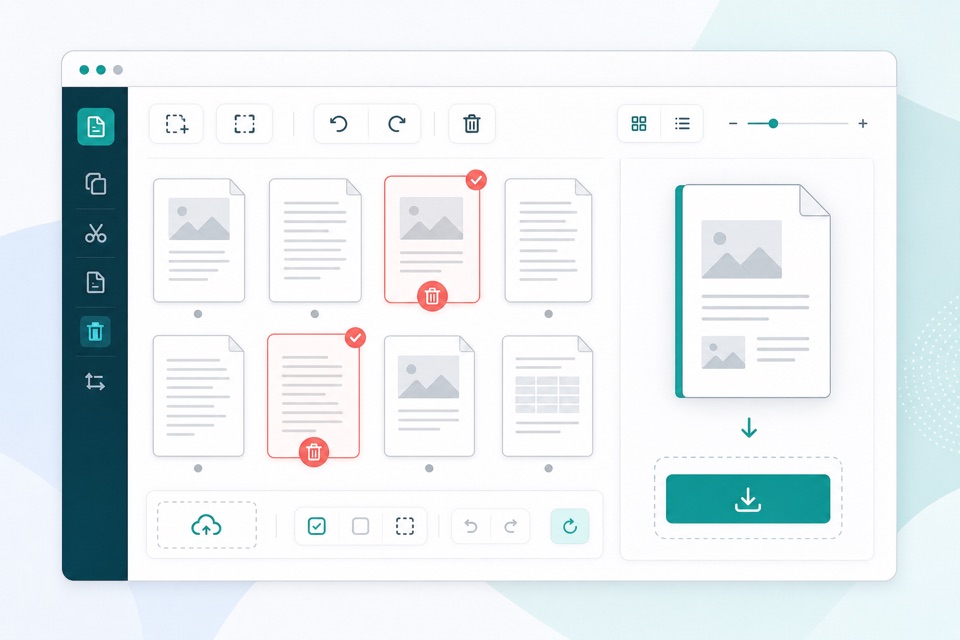
Select pages to remove. The remaining pages are saved into a new PDF.

Drop PDF files here

Your files stay in this browser. Nothing is uploaded to a server.

Remove unwanted pages from a PDF safely

Deleting pages from a PDF is useful when a document contains blank scans, duplicates, cover sheets, separator pages, or information that should not be included in the final version. This tool lets you preview pages and select exactly what to remove.

The original file is not overwritten. Instead, the browser creates a new PDF that keeps every unselected page in the same order. That makes it safer to clean up a document before sharing, printing, archiving, or uploading it elsewhere.

Because processing happens locally, you can remove pages from sensitive paperwork without sending the PDF to an external server. The tool also prevents creating an empty PDF by requiring at least one page to remain.

What stays in the output

Remaining pages stay ordered

Every page you do not select is copied into the new PDF in its original order.

Original file stays intact

The tool creates a new download and does not overwrite the source PDF.

Empty output is blocked

At least one page must remain, which avoids producing an invalid empty PDF.

How it works

1

Upload your PDF

Page thumbnails help you spot blank or unwanted pages quickly.

2

Select pages to delete

Choose the pages that should be removed from the final document.

3

Download a clean PDF

The new PDF keeps every unselected page in its original order.

Questions

Can I delete multiple pages at once?+

Yes. Select as many pages as needed before creating the new PDF.

Can I undo deleted pages?+

Your original PDF is never changed. Clear the selection or upload again to start over.

Can I delete every page?+

No. At least one page must remain in the output PDF.

Does deleting pages change the original document?+

No. The browser generates a new PDF and leaves the original file unchanged.

Can I preview pages before deleting them?+

Yes. Page thumbnails appear before you create the cleaned PDF.