How to rotate PDF pages before sharing a document
A practical checklist for fixing sideways scanned pages and exporting a clean PDF with RotatePDF.
 RotatePDF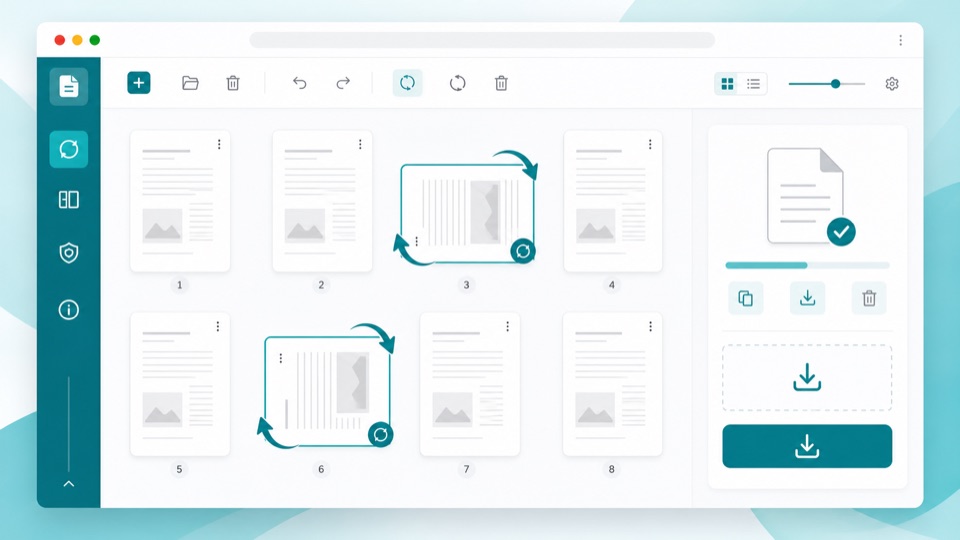
Sideways pages usually come from scanned contracts, receipts, forms, and slide decks. The fastest fix is to rotate only the affected pages, then export a new copy instead of rescanning the whole document.
When page rotation helps
Use page rotation when the file is readable but some pages face the wrong direction. RotatePDF lets you preview pages, select the pages that need attention, and turn them left, right, or 180 degrees.
A clean workflow
- Open the rotate PDF tool.
- Choose the PDF from your device.
- Wait for the page previews.
- Select the pages that are sideways.
- Rotate them until the preview looks correct.
- Download the corrected PDF.
Because processing happens in the browser, the file does not need to be uploaded just to fix orientation.
Before sending the file
Open the exported PDF once and check page order, orientation, and readability. If the document also contains extra blank pages, use the delete pages tool next.